

Skip to content


Ghost logo
Strapi logo

From Ghost to Strapi

We are the Ghost to Strapi migration experts

Last verified:


The process

How we migrate from Ghost to Strapi

  1. 01

    Access and gating audit

    First we check the existing Ghost and see whether the data is clean enough to move straight over to Strapi, and plan around any auth walls or bot protection in the way.

  2. 02

    Rendering assessment and extraction

    Then we work out how Ghost renders its pages and pull the content out, even without CMS access.

  3. 03

    AI-assisted sanitization

    Everything extracted runs through our sanitization pipeline, which flags slop, normalizes structure, and leaves us clean content to work with.

  4. 04

    Content-model design with the client

    Before anything moves, we agree the Strapi content model with you, shaped around how your editors actually work.

  5. 05

    Transform and soft-migrate

    We transform the content to the agreed schema and run a full dry run, so mappings and edge cases prove out before production.

  6. 06

    Execute the real migration

    Once the dry run is clean, everything moves into Strapi in one controlled cutover.

  7. 07

    Redirect mapping and throttled sitemap submission

    Every old URL gets mapped to its new home with the right redirect, so rankings and link equity survive the move.

  8. 08

    Agentic-browser QA

    Finally, automated browsers sweep the new site for data issues, design regressions, and missing SEO signals.

  9. Ready when you are. We'll bring the moving boxes.Start my migration


Challenges with Ghost

Key pain points

Ghost is great until you need it to do anything more than "post blog, send newsletter, and beg readers for $5/month." The moment you step outside that happy path, the whole thing starts feeling painfully bare-bones. There’s no real visual builder, no serious content modeling, and the plugin ecosystem is basically "good luck, build it yourself."

Hosted plans get expensive fast once memberships grow, and self-hosting turns into a weekend-killing DevOps hobby nobody asked for. If you need anything beyond a clean blog with a paywall, Ghost will politely tap out and tell you to write less ambitious content.
Help me migrate


Blogging-centric feature set

Blogging-centric feature set

Ghost is brilliant for blogs… and very "meh" for anything else. If you need complex content models, workflows, or enterprise-level flexibility, you’ll hit a wall quickly.
Sparse plugin marketplace

Sparse plugin marketplace

There’s no real ecosystem to lean on. Anything outside the basics usually means rolling up your sleeves and writing code yourself.
No visual page builder

No visual page builder

If you were hoping to drag, drop, and magically design pages, Ghost politely says "no." Everything beyond basic layouts needs theme edits.
Custom coding required

Custom coding required

Even simple enhancements often require Handlebars or API work. Non-technical teams will run out of road fast.
Limited content modeling

Limited content modeling

You get posts and pages, that’s pretty much the deal. Anything beyond that is a workaround, not a first-class feature.

Lacks multi-site support

Lacks multi-site support

Running multiple sites under one instance isn’t Ghost’s thing. If you’re scaling across regions or brands, you’ll feel boxed in.


Benefits of Strapi

Key advantages

If you’re the kind of team that likes to get your hands dirty with real code instead of fighting a bloated enterprise UI, Strapi will feel like home. It’s open-source, customizable, and developer-centric. You get full access to the codebase, no licensing paywalls, and the freedom to shape your CMS exactly the way you want it.

It is flexible. You can use React, Vue, Angular, mobile apps, and smart displays to push content. And despite being dev-leaning, it still gives you GUI-based drag-and-drop schema generation, which means you can spin up content models fast without digging into JSON files every five minutes.
Start my migration


Strapi has Node.js driven architecture

Node.js driven architecture

Built on Node.js, Strapi plugs straight into the modern JavaScript ecosystem. If your team already lives in JS-land, Strapi fits right in.

Easy frontend framework integration

Easy frontend framework integration

Pick your poison React, Vue, or Angular. Strapi plays nicely with all of them, making it easy to ship content.
Highly modular approach

Highly modular approach

Every part of Strapi is built like Lego. Add what you need, remove what you don’t, and customize endlessly. It’s great if you love building your CMS exactly your way instead of wrestling with rigid templates.

RESTful API flexibility

RESTful API flexibility

Out of the box, Strapi generates clean REST APIs that are easy to consume, easy to extend, and easy to customize. Ideal for multi-channel content delivery without rewriting half your backend.

Supports GraphQL APIs

Supports GraphQL APIs

With its GraphQL plugin, you get structured queries, reduced over-fetching, and a nicer developer experience with zero hacking required.
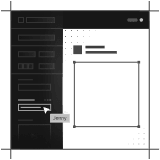
Flexible content management

Flexible content management

Strapi lets you model content however you want, from simple pages to complex, relational structures. Combined with a drag-and-drop schema builder, it gives teams full control without feeling boxed in.


Common questions

Ghost to Strapi migration FAQs

Answers to the most common questions about Ghost to Strapi migration

Does Ghost need a developer to maintain it?
If you're self-hosting, yes. Ghost runs on Node.js and requires regular updates, database maintenance (MySQL), and server monitoring. Major version upgrades can break themes and integrations, and someone technical needs to handle those. Ghost 6, for example, raised the minimum Node.js to v22 and removed API behavior like ?limit=all that older themes and custom integrations relied on. On Ghost Pro, maintenance is handled for you, but customization still requires a developer. Custom themes use Handlebars templating, and anything beyond basic styling means editing theme files and redeploying. If your team is purely non-technical and you want to go beyond Ghost's default themes, you'll need developer support on an ongoing basis.
How much does Ghost CMS really cost beyond the "free" open source version?
Ghost is free to self-host, but "free" is misleading. You'll need a VPS ($5-$20/month minimum), someone to handle server maintenance, security updates, SSL certificates, and backups. That's either your time or a developer's hourly rate. Realistically, self-hosted Ghost costs $50-$200/month in labor and infrastructure for a small team. Ghost's managed hosting (Ghost Pro) starts at $18/month for the Starter plan (1,000 members), jumps to $29/month for Publisher, and scales to $199/month for the Business tier (10,000 members). Once your membership list grows past a few thousand, costs climb fast. We've seen publishers hit $300+/month on Ghost Pro before questioning whether the platform still made sense for them.
When should you migrate away from Ghost?
Ghost hits its ceiling when you need more than blog posts and newsletters. If you're trying to build landing pages, manage structured content across multiple page types, run an ecommerce store, or handle multi-language content, Ghost wasn't designed for any of that. We've migrated publishers off Ghost when they outgrew the "blog plus newsletter" model and needed a real content platform. The migration itself is painless. Ghost's JSON API makes content extraction simple, and posts map cleanly to markdown. The typical timeline is 4-6 weeks to move content into a headless CMS and rebuild the frontend.
Can Ghost handle a site with more than just a blog?
Barely. Ghost gives you two content types, posts and pages, and that's it. There's no custom content modeling, no relational fields, no structured data beyond tags and authors. You can hack together something with custom routes and internal tags, but it's brittle and hard to maintain. If you need case studies, service pages, team directories, or any structured content beyond articles, you're fighting the platform. Ghost is excellent at what it does. It just doesn't do very much. For sites that need a blog alongside other content types, a headless CMS gives you the flexibility Ghost intentionally leaves out.
What is Strapi used for?
Strapi is an open-source headless CMS built on Node.js. Teams use it to manage content and serve it to websites, mobile apps, and other frontends through REST or GraphQL APIs. It's popular with JavaScript developers who want full control over their CMS without paying SaaS fees. Common use cases include marketing sites, blogs, e-commerce product catalogs, and multi-channel content delivery. It works well when you have dedicated developers on the team. Without them, it gets painful quickly.
How much does Strapi cost?
Strapi's Community Edition is free and self-hosted. That sounds great until you factor in hosting ($20-100+/month depending on traffic), database costs, backups, and the developer time to maintain it all. Strapi Cloud now has a free Developer plan for prototyping, then Essential at $18/month per project ($15 on yearly billing), Pro at $90/month, and Scale at $450/month, each with higher entry, seat, and API limits. Enterprise Edition is custom pricing and adds SSO, audit logs, and review workflows. The hidden cost is always developer time. We've seen "free" Strapi setups cost $500-1,000/month in maintenance hours alone.


Get in touch

Tell us what you're building. We reply within one working day. Jono or someone on the team picks up every message personally.

By sending this you agree to our privacy policy. We only use your details to reply.