Case Study
View Case StudyTray.ai
Migrating hundreds of thousands of pages, re-platforming and extending for the leading composable AI integration platform


Last verified:
Key pain points
Now for the part Webflow doesn't put on their homepage. Pricing escalates fast. The $23/month CMS plan sounds reasonable until you pass 2,000 items and get forced onto the $39/month Business plan, and enterprise contracts run $60,000+ a year for high-traffic sites. The CMS editor is the other pain point everyone loves to hate. Tiny text fields, awkward formatting, and the occasional "why did hitting save unpublish my article?" moment. Not the confidence you want from a content platform.
Then there are the technical walls. Only one designer can edit the canvas at a time. Reference fields have shallow depth. CMS reference limits force strange workarounds for anything resembling real relational content. And if you ever want to leave Webflow, the exported code drops CMS content, interactions, and animations, so your "no-code" site suddenly needs code everywhere.

Expensive pricing tiers
Webflow starts cheap, but the moment you need CMS items, traffic, or team features, the bill jumps fast. If you want just 10 pages, go ahead. But if you need an enterprise website, we suggest reconsidering.
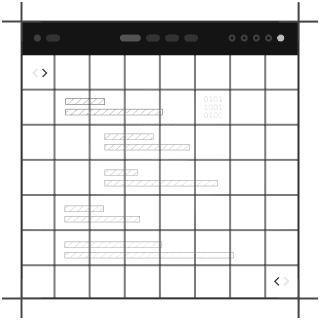
Outdated CMS editor interface
For all the design polish, the CMS editor feels stuck in another decade. Tiny text fields, formatting quirks, and the occasional “why did that unpublish my live page?” moment doesn't help content teams move fast.
CMS reference limitations
Complex content models often require hacks, workarounds, or custom code anyway, which defeats the “no-code” dream. It doesn't have repeaters or shallow reference depth, and collection limits add friction to what should be simple tasks.

Single-designer collaboration limit
Only one designer can work in the Webflow canvas at a time. On larger projects, this turns teamwork into a queue.
Third-party integration dependency
If you need advanced features, prepare to stitch in custom code or third-party services. The plugin ecosystem is small, so extending Webflow usually means bolting on tools outside the platform.
Limited export functionality
You can export your site, but you lose CMS features, interactions, and animations the moment you do. It’s more like a one-way door than a portable build.
Expert migration services
Migrating your website content can be complex, but you don't have to do it alone. At Roboto Studio, we specialize in seamless CMS migrations, ensuring your valuable content is transferred efficiently and accurately.
Leveraging a combination of cutting-edge AI tools, advanced web scraping techniques, and our extensive experience in website integration, we handle the intricacies of moving your data. Whether you're upgrading your platform or consolidating systems, we provide tailored solutions to meet your specific needs.
Trust our expertise to manage your migration project, minimizing downtime and preserving data integrity, so you can focus on what you do best.
Visual design without coding
Designers can build the site they see in their heads without waiting on a dev or translating Figma to HTML. You just drag, drop, animate, and publish. If you can design it, Webflow will render it.

Global CDN infrastructure
Your site gets served fast everywhere, without you configuring servers or worrying about uptime charts. Webflow handles delivery at scale, and pages load like they’ve had three shots of espresso.
Automatic SSL management
You don't need any certificates, renewals, or late-night expiration scares. SSL is handled out of the box, so security stops being a chore and starts being standard.
Clean semantic HTML output
Unlike many no-code builders, Webflow doesn’t produce spaghetti markup. The code it generates is tidy, semantic, and Google-friendly, which is why performance is generally strong.
Built-in SEO optimization
Webflow gives you proper SEO controls with meta titles, descriptions, alt text, structured data, and Open Graph. You don't need plugins or setup. It has native tools that keep your site search-friendly.
Plugin-free architecture
Webflow ships with most essentials built in, so you’re not babysitting 12 plugins just to keep the lights on. Fewer moving parts means fewer things blowing up.
Fill out the form below and we'll get back to you
Join the growing list of successful migrations
Case Study
View Case StudyMigrating hundreds of thousands of pages, re-platforming and extending for the leading composable AI integration platform
Case Study
View Case StudyFrom Sanity overages to instantaneous publishing, we brought Mario Testino into the fast lane, and did it in style.

Case Study
View Case StudyHelping the UAE's most prolific Pay in 4 merchants scale their design system and composable infrastructure.

Case Study
View Case StudyHow we helped the fastest growing online cycling community, push the editorial velocity to new heights.